docsusagenodes
Nodes
The Nodes page lists every K8s node in the cluster with the metadata operators read at 11pm — instance type, zone, capacity-type (spot vs on-demand), kubelet version, schedulability, and a status glyph. Pairs with the…
The Nodes page lists every K8s node in the cluster with the metadata operators read at 11pm — instance type, zone, capacity-type (spot vs on-demand), kubelet version, schedulability, and a status glyph. Pairs with the Node Groups EKS-side surface, which lists the AWS-managed group abstraction above individual nodes.
What you see
List
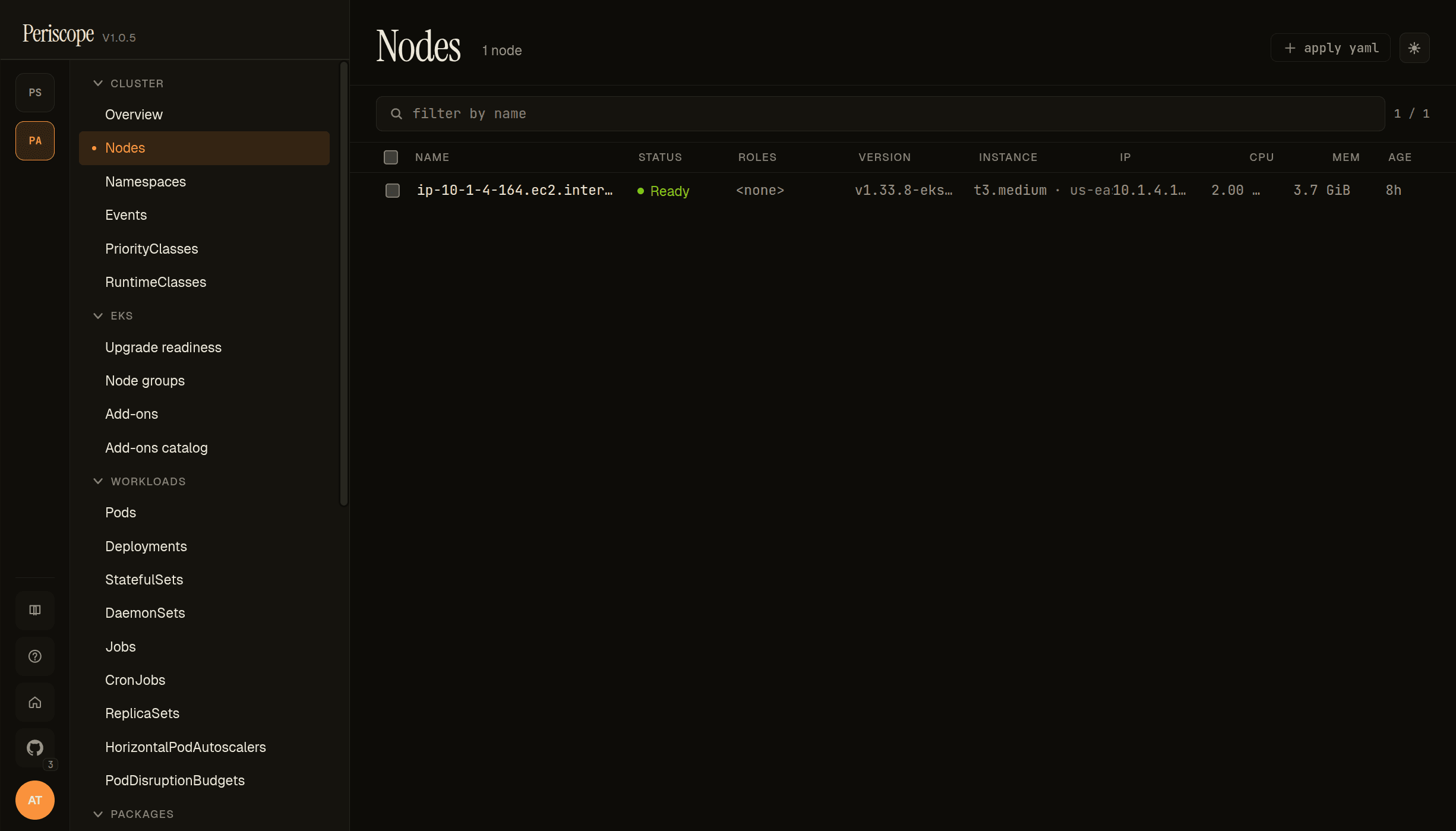
Each row carries:
- Status glyph —
●Ready (green),✕NotReady (red),○Unknown (grey, animated). Acordonedoverlay renders when the node hasspec.unschedulable=true. - Roles — extracted from labels with the
node-role.kubernetes.io/<role>prefix. Most EKS-managed nodes show no role; control-plane nodes (rare in EKS user clusters) showcontrol-plane. - Instance — combined column showing instance type + zone
- an optional
spotchip when the node carrieseks.amazonaws.com/capacityType=SPOT(orkarpenter.sh/capacity-type=spot). The spot chip renders yellow to surface "this node can be reclaimed at 2-min notice" — answers the "why did my pod die overnight" question at scroll glance.
- an optional
- Kubelet version — from
node.status.nodeInfo.kubeletVersion. - Internal IP —
node.status.addresses[type=InternalIP]. - CPU / mem capacity — from
node.status.capacity. - Age — relative (e.g.
4h,2d).
Detail
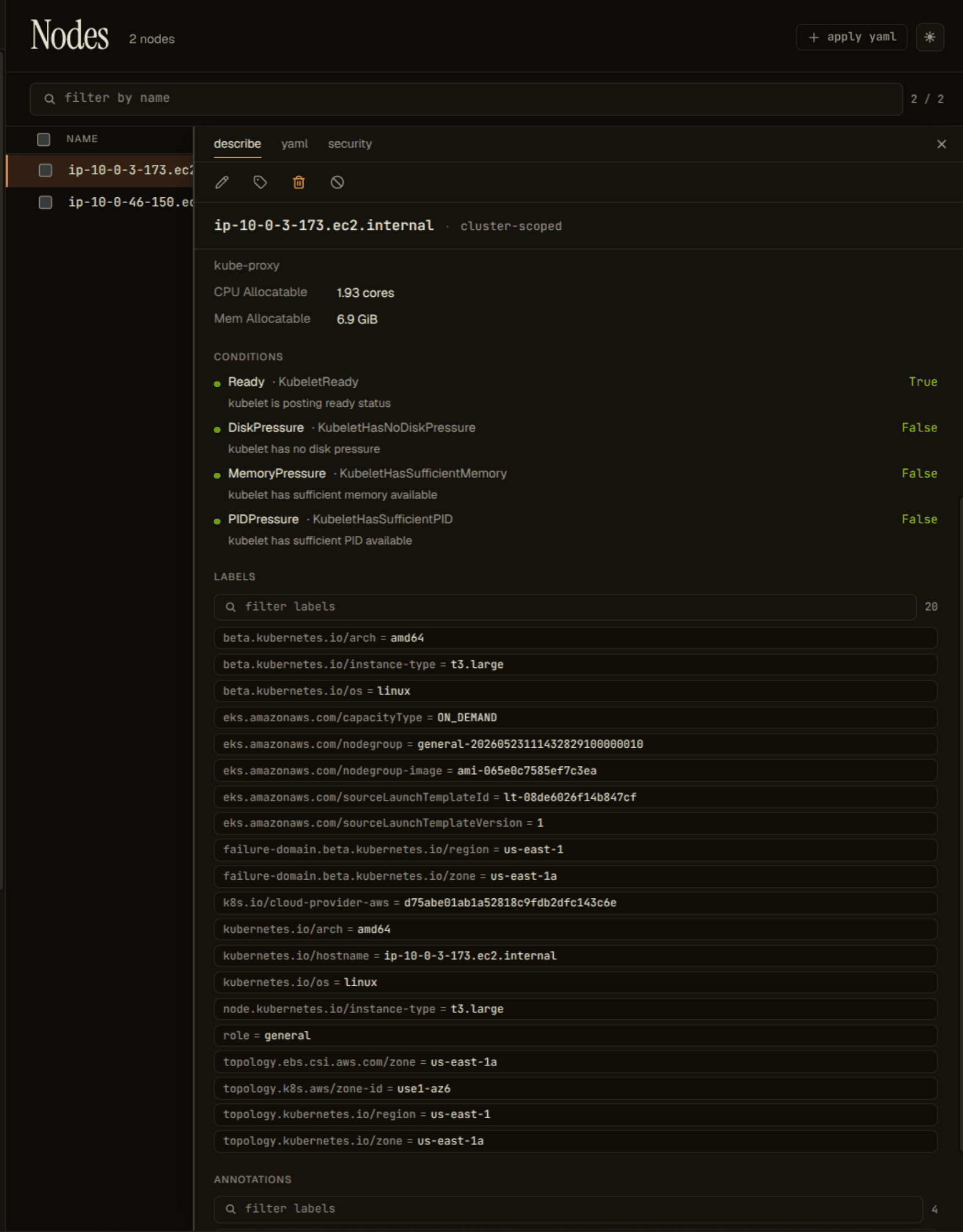
Clicking a row opens the detail pane. Tabs:
- Describe — kubectl-describe-style summary: conditions, taints, allocated resources, system info, addresses, labels, annotations.
- YAML — full node manifest, monaco-editor read-only view.
- Events — events filtered to this node (eviction, OOMKilled on hosted pods, etc).
Capacity-type detection
Periscope reads two label families and surfaces whichever is present:
| Source | Label | Values |
|---|---|---|
| EKS managed nodegroups | eks.amazonaws.com/capacityType | ON_DEMAND, SPOT |
| Karpenter | karpenter.sh/capacity-type | on-demand, spot |
Both lowercase + uppercase forms are normalized to the chip. Nodes with neither label (self-managed, raw EC2, kops, etc) leave the chip slot blank — no false signal.
RBAC
The page needs nodes:list cluster-scoped (the standard view /
read ClusterRole carries this). When node access restricted shows
in the cluster overview identity banner,
this page renders an empty state with the same message — denoting
the difference between "cluster has no nodes" and "your role can't
see them."