docssetupapply yaml
Apply YAML
The + apply yaml action in the page header is Periscope's kubectl apply -f for the browser. Paste a manifest, drag-drop a .yaml file, or use the browse… picker. Multi-doc YAML is parsed and each document is dry-run +…
The + apply yaml action in the page header is Periscope's
kubectl apply -f for the browser. Paste a manifest, drag-drop a
.yaml file, or use the browse… picker. Multi-doc YAML is parsed
and each document is dry-run + RBAC pre-flighted independently before
the real apply lands.
It's the operator's hand-applied path for one-off resources — quick fix-its, demo seeding, copy-paste from a runbook. For everything that needs version-control + review, GitOps remains the right tool.
What you see
Empty dialog
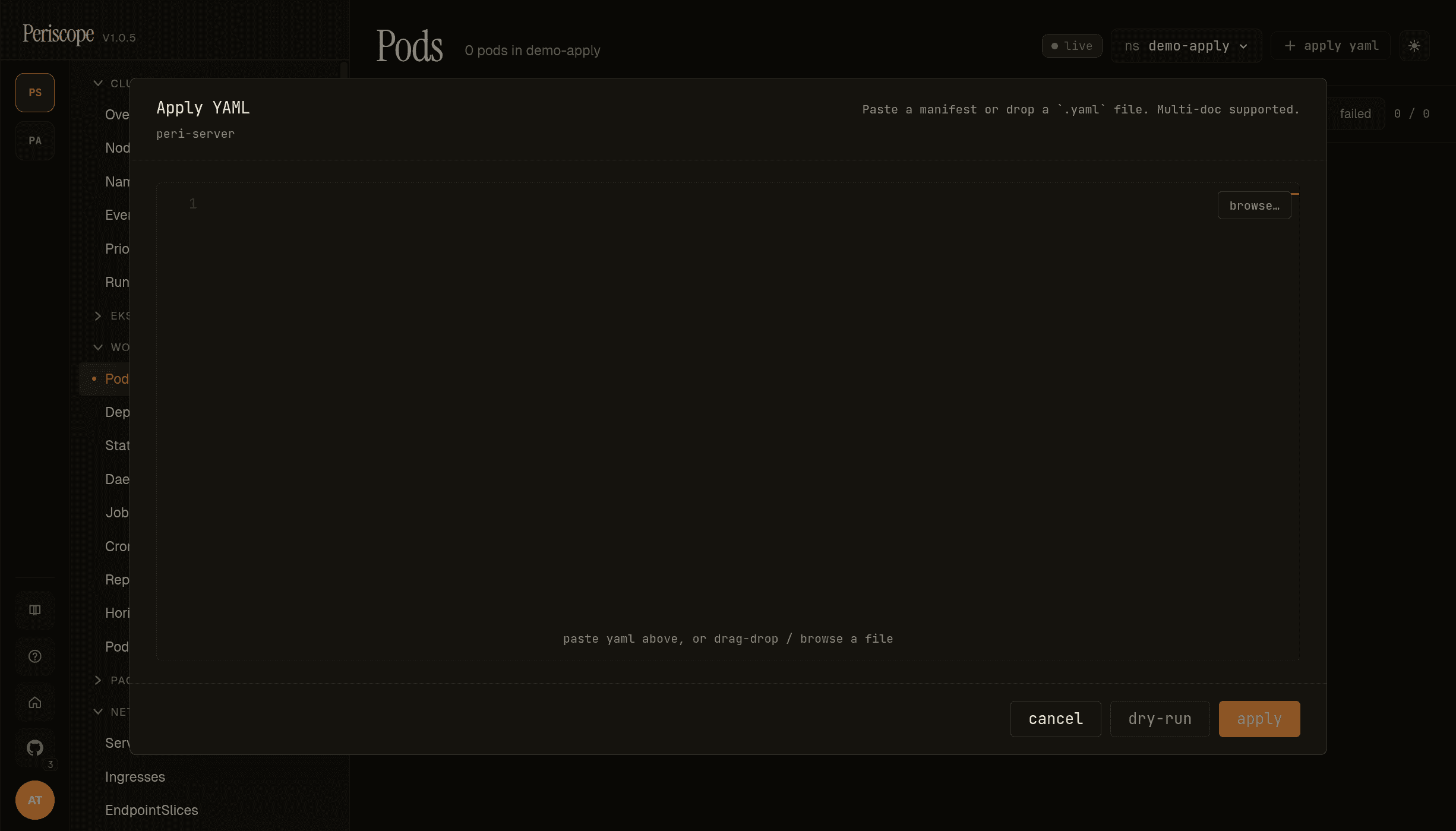
The dialog opens centered over the current page. The header carries:
- Apply YAML title + the cluster context (
peri-serverhere). - The drop zone hint —
Paste a manifest or drop a.yamlfile. Multi-doc supported. - browse… button — opens the OS file picker; selected file's contents replace whatever is in the editor.
The editor itself is Monaco YAML with line numbers and full syntax highlighting + linting.
The footer carries:
- cancel — discards the draft, dialog closes.
- dry-run — runs the same parse + RBAC pre-flight + server-side dry-run apply that the real apply uses, but without persisting.
- apply — runs the dry-run first, then the real apply. Disabled until the editor has at least one valid YAML document.
Dry-run / pre-flight
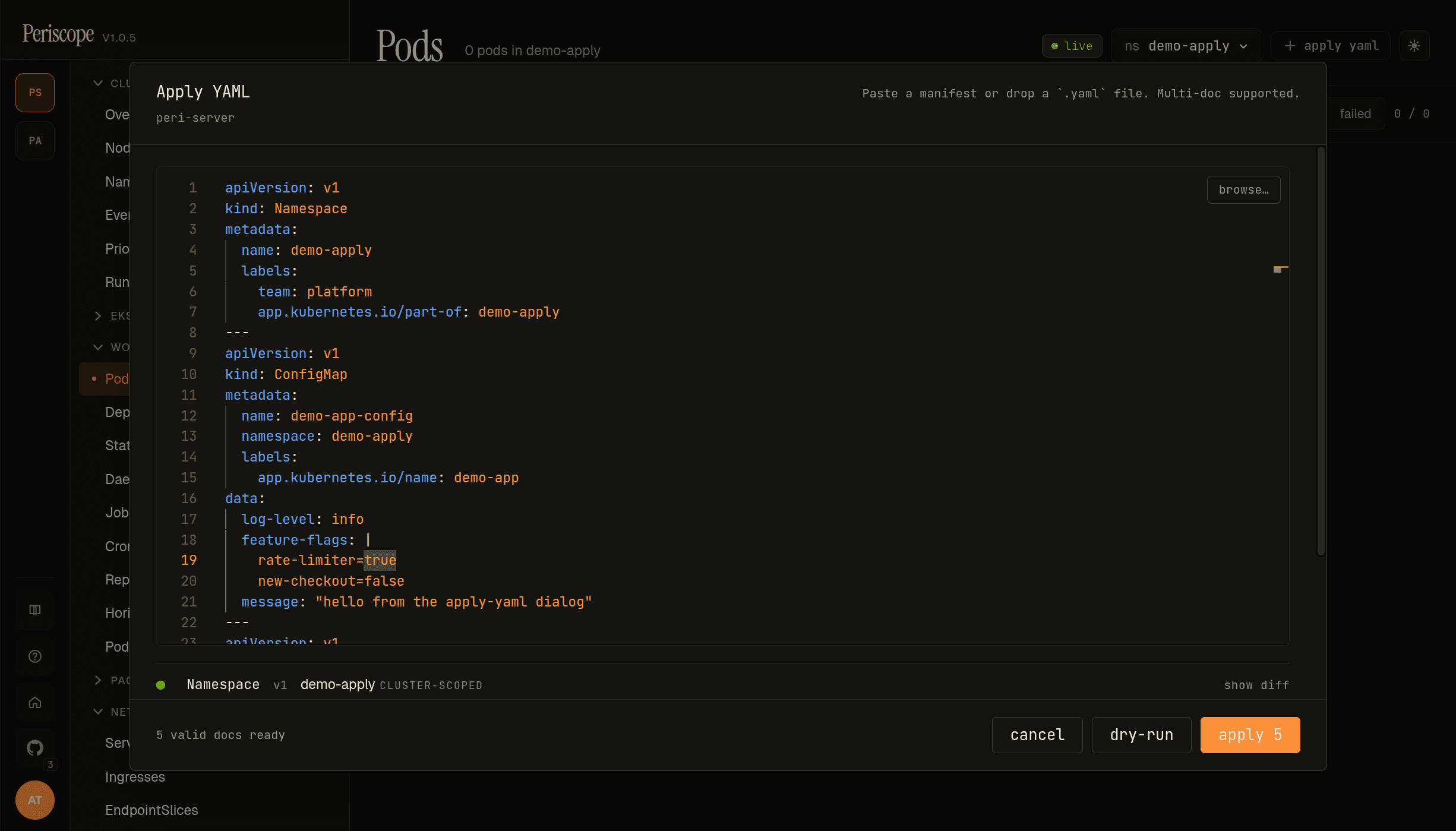
Once the editor parses, two surfaces light up:
1. Per-doc preview list (between the editor and the footer) — one row per parsed doc:
- Kind / apiVersion / namespace / name chip —
Namespace v1 demo-apply CLUSTER-SCOPEDfor the lead doc in the screencap. Cluster-scoped docs render with theCLUSTER-SCOPEDchip; namespaced docs renderns:<namespace>. - State glyph —
○idle,◐running,●success,✕failure,⚠conflict — colored to match. Glyph flips as the dialog walks the docs. - Per-row actions appear after dry-run completes:
force— yellow chip on conflict rows; retries this single doc withforce=true(takes ownership of conflicting fields). One-shot, scoped to the row.show diff— toggle that appears on successful dry-run rows only. Expands a<pre>block with the apiserver's server-side-apply dry-run response — the full computed manifest after schema defaults + admission + conversion. Useful for spot-checking what the server would actually persist (defaulted fields, mutating-webhook injections, etc.). Not a current-vs-proposed diff — Periscope does not fetch the existing object and render a unified diff. The label is historical.
Bad-input rows render a red bad input badge with the parse error message inline; apply stays disabled until every doc parses cleanly.
2. Footer status text — X valid docs ready[, Y skipped][, Z denied]. The screencap reads 5 valid docs ready. While a run is in flight the text reads running dry-run… / applying… and a cancel run button replaces the action buttons.
Footer buttons — cancel / dry-run / apply. apply always runs the same dry-run + RBAC pre-flight + audit pipeline before the real apply, so clicking dry-run first is optional — its value is letting you inspect the server's response in show diff before committing.
If RBAC pre-flight denies one or more verbs, the affected rows render a denied chip with a tooltip naming the (verb, resource, namespace) tuple, the footer text adds , N denied, and apply stays disabled. The familiar "your role can't do this" gate, surfaced before the real apply runs (see Per-doc RBAC pre-flight).
After apply
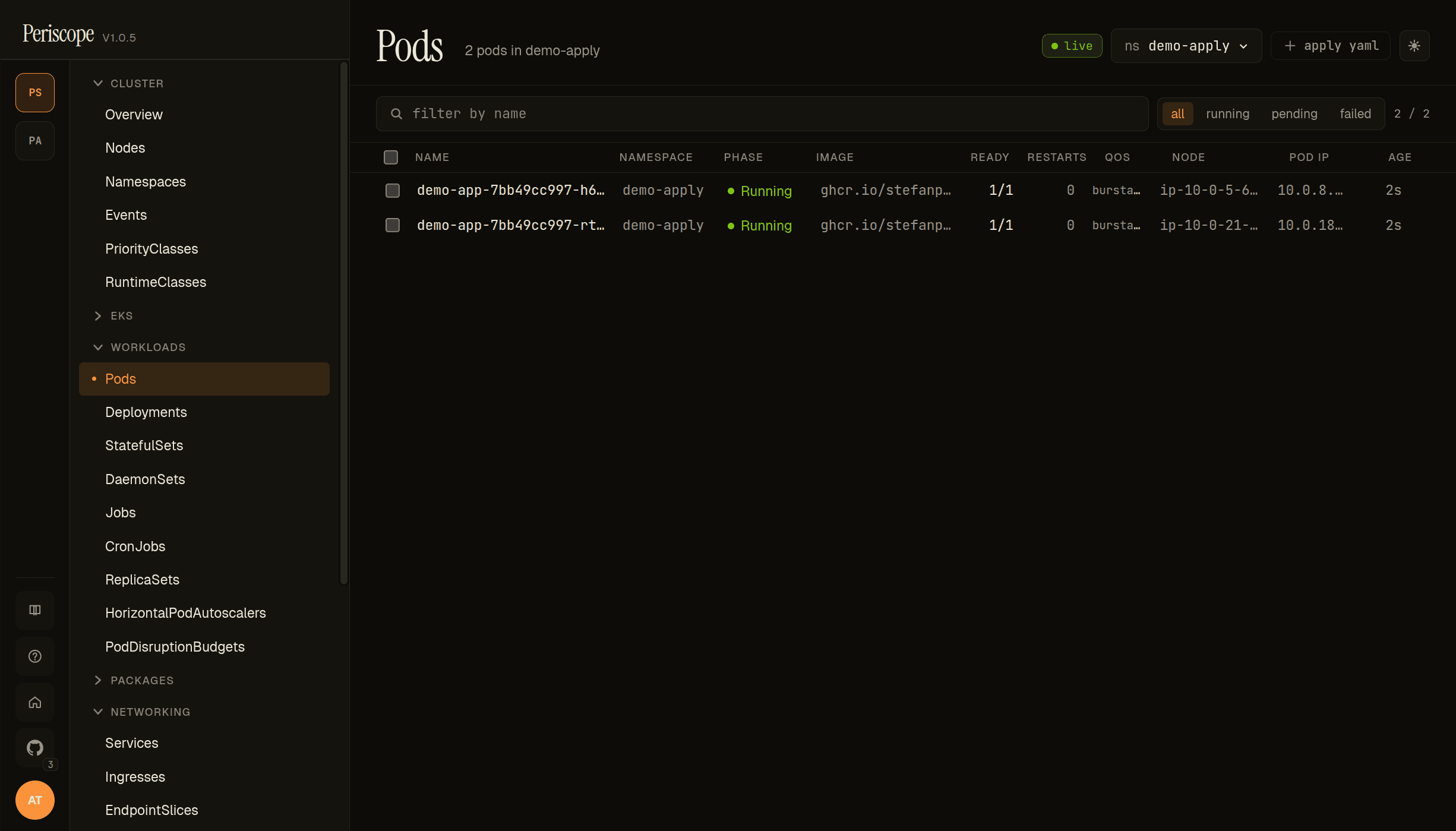
When apply succeeds, the dialog closes, a success toast lands,
and the page you were on (Pods, in the screencap) refreshes with the
new resources visible. The screencap shows the result of applying
the 5-doc demo: a demo-apply namespace, ConfigMap + Secret +
Deployment + Service, with the Deployment's two podinfo replicas
running.
Per-doc RBAC pre-flight
Periscope runs a SelfSubjectAccessReview for the matching (verb, resource, namespace) of every doc before the apply lands. Verbs:
| Doc state | Verb tested |
|---|---|
| Resource doesn't exist on cluster | create |
| Resource exists | patch |
Doc has metadata.deletionTimestamp set explicitly | delete |
If any verb is denied, apply is disabled and the denial list is surfaced with the same wording the rest of the SPA uses ("your role can't do this"). No partial applies — the dry-run is gated on the full set passing.
Multi-doc behavior
- Documents are parsed by
---separators (the standard YAML multi-doc convention). - Each document gets its own dry-run + RBAC pre-flight.
applyruns them sequentially. If the 3rd of 5 docs fails the real apply (e.g. an admission webhook rejected it), docs 1+2 stay applied — Periscope does not auto-rollback. The result toast names the failed doc and the remaining docs are reported as not attempted.
For the all-or-nothing semantics that GitOps tools provide, use GitOps. The Apply YAML dialog is for hand-applied one-offs.
Audit
Every successful apply (dry-run and real) writes one audit row per
doc with verb=apply, kind/namespace/name, the operation
(create / update / delete), and dryRun=true|false. See
audit.md for the audit-page filters that surface
these rows.
Demo: 5-doc mini-app
The 5-doc YAML used in the screencaps above lives in this repo at
discussions/demo-apply-yaml.yaml
(seeded for v1.0.5 demos). It exercises:
| Doc | Kind | Why it's in the demo |
|---|---|---|
| 1 | Namespace demo-apply | Cluster-scoped create — exercises the cluster-scope RBAC path. |
| 2 | ConfigMap demo-app-config | Namespaced create with a multi-line data field. |
| 3 | Secret demo-app-secrets | Namespaced create — exercises the create:secrets RBAC path (often denied for read-only roles). |
| 4 | Deployment demo-app (podinfo, 2 replicas) | Workload create — exercises the apps/v1 group; pods are visible on the Pods page after apply. |
| 5 | Service demo-app | ClusterIP service binding to the Deployment via label selector. |
Cleanup:
kubectl --context peri-server delete namespace demo-applyRelated docs
workload-rollback.md— for changes that update an existing Deployment, the dialog usespatchsemantics; use the rollback dialog if you need to undo.audit.md— every apply lands in the audit log.cluster-rbac.md— what verbs theperiscope-writerole needs for apply to succeed.