docsusagenetworkpolicies
NetworkPolicies
The NetworkPolicies page shows every networking.k8s.io/v1 NetworkPolicy in the cluster (or in the namespace picker's current selection). Operator-facing read view + per-resource detail; for applying / editing them, us…
The NetworkPolicies page shows every networking.k8s.io/v1
NetworkPolicy in the cluster (or in the namespace picker's current
selection). Operator-facing read view + per-resource detail; for
applying / editing them, use the YAML editor or
+ apply yaml.
Setup-side note: the doc at ../setup/networkpolicy.md
covers Periscope's own chart-level NetworkPolicy (locking down
the Periscope pod). This page is the operator's browser for
NetworkPolicies that already exist on the cluster.
What you see
List
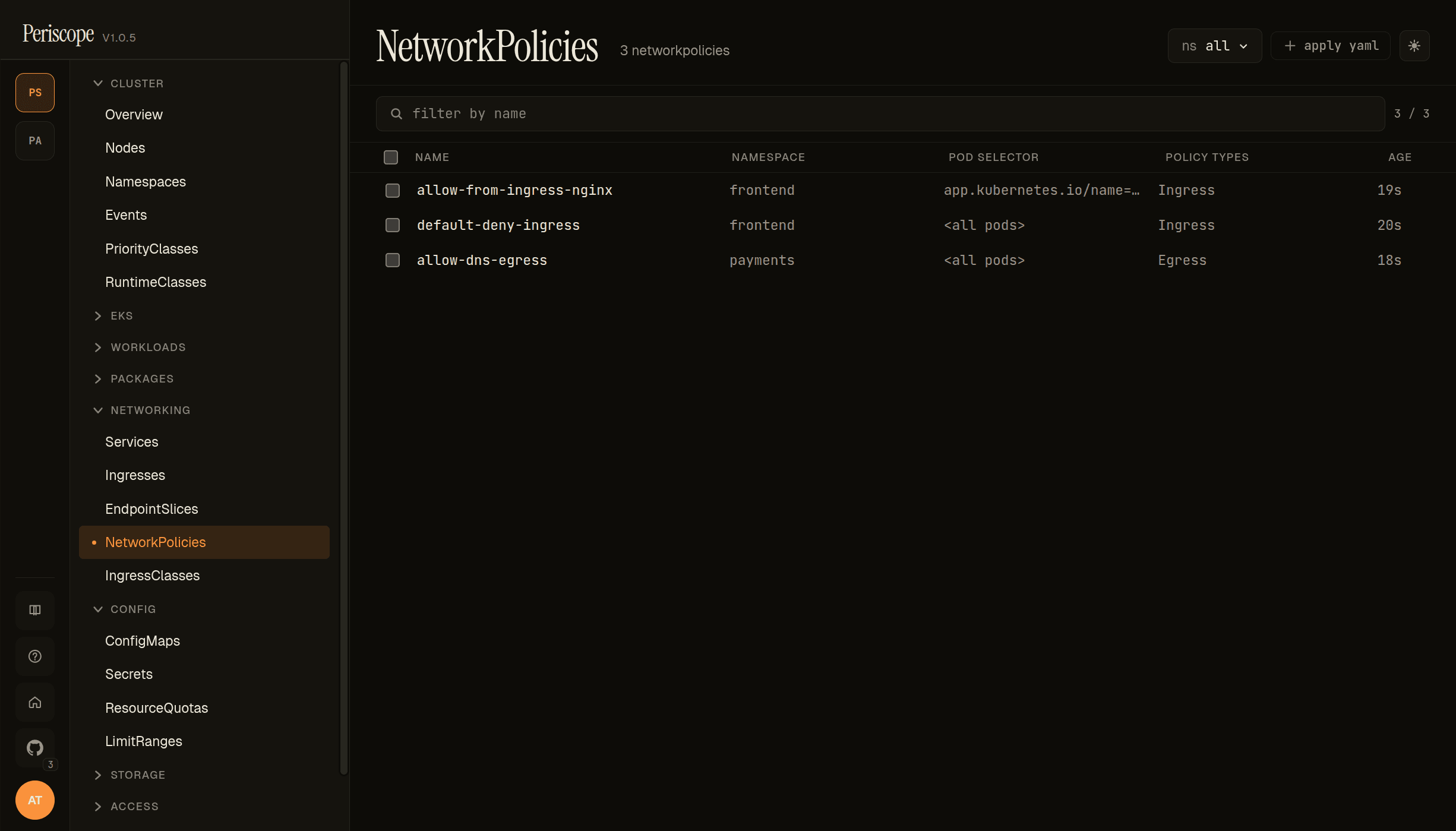
The list view shows one row per NetworkPolicy with these columns:
- NAME —
metadata.name. - NAMESPACE —
metadata.namespace. - POD SELECTOR — the policy's
spec.podSelector. Empty selector (matches every pod in the namespace) renders as<all pods>. A matchLabels selector renders the first label asapp.kubernetes.io/name=…(truncated at column width; full selector visible in the detail pane). - POLICY TYPES —
spec.policyTypes(Ingress,Egress, or both). - AGE — relative timestamp from
metadata.creationTimestamp.
The screencap above is from peri-server with three seeded NetPols demonstrating the common patterns:
default-deny-ingress(frontend,<all pods>, Ingress) — the baseline namespace-wide block.allow-from-ingress-nginx(frontend,app.kubernetes.io/name=web, Ingress) — the targeted exception that pairs with the default-deny.allow-dns-egress(payments,<all pods>, Egress) — the must-have DNS exception every default-deny-egress policy needs.
The page header carries the namespace picker (ns all shown) and
the + apply yaml quick-action.
Detail (describe)
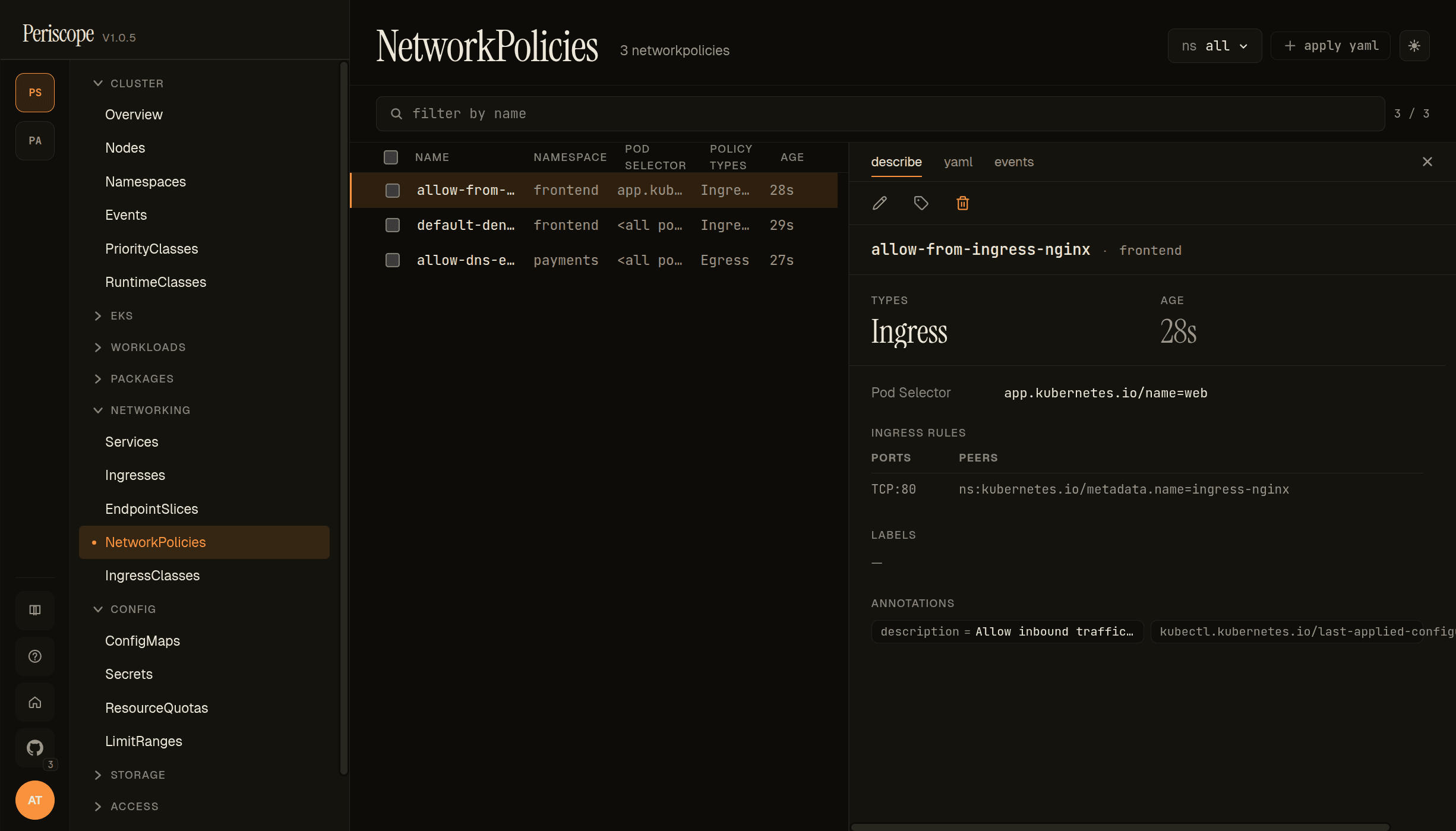
Click any row to open the detail pane. The describe tab carries:
- Header — name + namespace + edit / labels / delete actions.
- TYPES —
Ingress/Egress/ both, badged. - AGE — same relative timestamp as the list.
- Pod Selector — the full
spec.podSelector(matchLabels + matchExpressions if used). - INGRESS RULES / EGRESS RULES — one row per rule, with
PORTS (e.g.
TCP:80) and PEERS (e.g.ns:kubernetes.io/metadata.name=ingress-nginx). Empty rule lists render as "no rules". - LABELS + ANNOTATIONS —
metadata.labelsandmetadata.annotations. The seeded NetPols above carry adescriptionannotation that is surfaced verbatim — a useful pattern for explaining intent without the operator having to flip to YAML.
Detail (yaml)
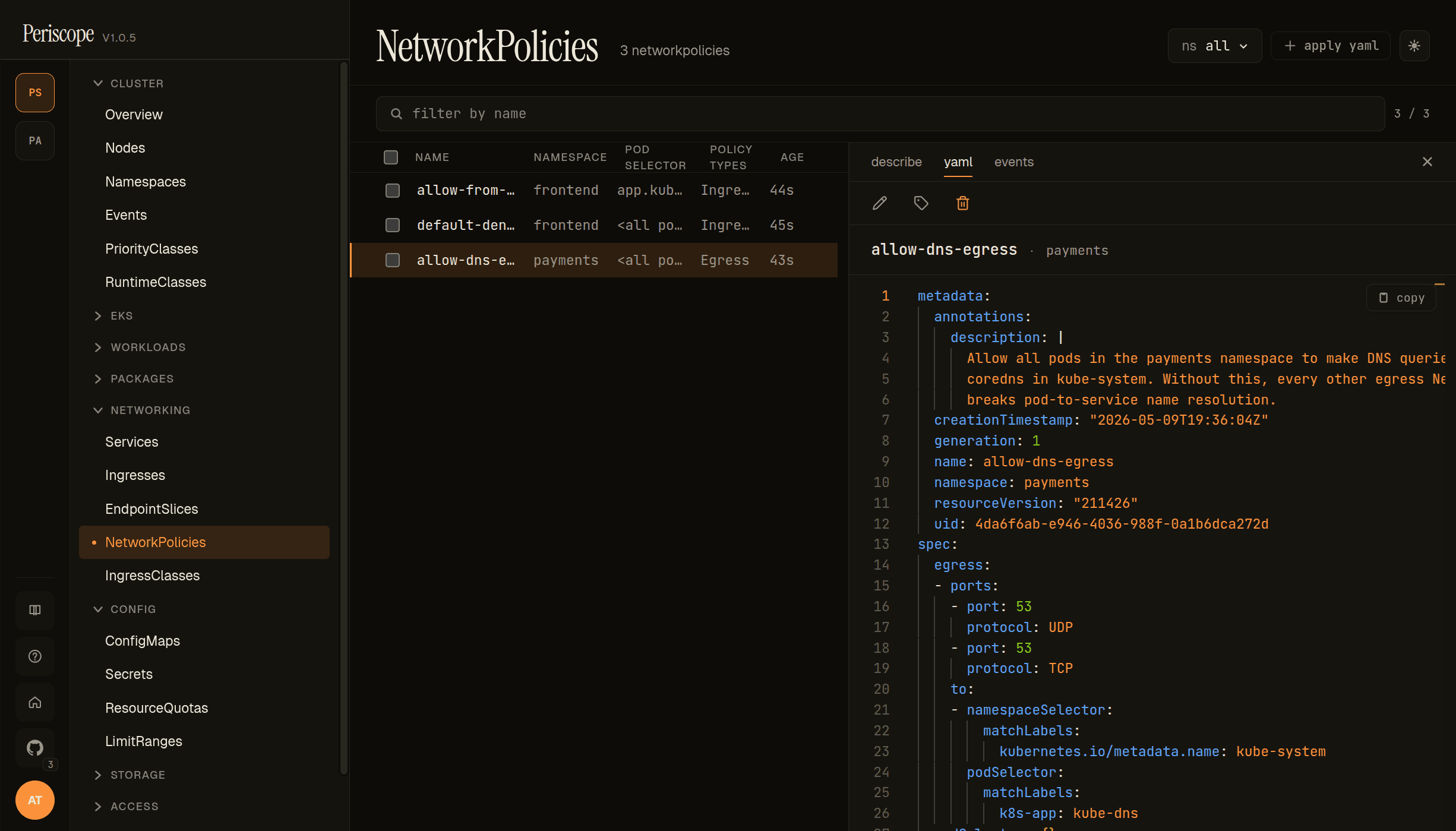
The yaml tab shows the full canonical manifest in a Monaco
viewer with syntax highlighting and copy-to-clipboard. The
description annotation is visible in full — useful because the
describe tab truncates long annotations to one line. creationTimestamp,
resourceVersion, uid are visible here only (filtered out of the
form/describe view).
Detail (events)
The events tab is the per-resource event feed (events whose
involvedObject matches this NetworkPolicy). Most NetPols emit no
events directly — this tab is most useful for surfacing CNI plugin
errors when the cluster's enforcer rejects a policy.
Live updates
The list is wired to the cluster's
watch streams — adds, updates, and
deletes propagate without a page refresh. The list reorders on
update; row selection persists across updates.
RBAC
The page needs networkpolicies:list (in networking.k8s.io).
Detail tab needs networkpolicies:get. The standard view ClusterRole
carries both. A role denied either verb sees the same forbidden
state the rest of the SPA uses.
Related docs
../setup/networkpolicy.md— Periscope's own chart-level NetworkPolicy (different topic; for locking down the Periscope pod).../setup/apply-yaml.md— applying NetworkPolicy manifests via the dialog.workloads.md— the POD SELECTOR refers to pod labels visible on the Pods page.../setup/watch-streams.md— the SSE plumbing that makes the list live.