1. The setup
Every K8s shop with shared tooling eventually faces the same fork in the road. Either the shared tool — your dashboard, your release bot, your "let me click delete on this pod" jump-box — runs as cluster-admin, and the audit log fills up with one identity that took every action, or the tool carries each human's identity into every call to the apiserver, and the audit log tells you who actually clicked the button.
Periscope took the second path. Every K8s call our backend makes is sent under the impersonated identity of the human in front of the browser; every audit row attributes the action to a real OIDC subject; every RBAC check is evaluated against the human, not the shared service account. This post is the walk-through: the wire mechanism, the three alternatives we rejected, the pre-flight pattern that powers our "this button is disabled because…" tooltips, the three authorization modes we ship with the chart, and how the same shape survives the agent-backed cluster path.
2. What impersonation actually is
Kubernetes impersonation is three HTTP headers and an RBAC verb. The caller sends:
Impersonate-User:   alice@corp
Impersonate-Group:  periscope-tier:write
Impersonate-Extra-Scopes:  read:audit
The apiserver authenticates the bearer of the request — for Periscope, that's the dashboard's in-pod ServiceAccount — and then, when it sees Impersonate-* headers, re-evaluates the request as the named user. Every RBAC check, admission webhook, audit log entry, and subresource permission lookup uses the impersonated identity.
For the bridge to be allowed to do this, the bridge SA needs the impersonate verb on the right resources:
- apiGroups: [""]
  resources: ["users", "groups"]
  verbs: ["impersonate"]
- apiGroups: ["authentication.k8s.io"]
  resources: ["userextras/scopes"]
  verbs: ["impersonate"]
That's it. Three headers, two impersonate rules. The apiserver does the rest. (For the full reference, see the Kubernetes docs on user impersonation. The bridge SA's RBAC also has to live on every cluster the dashboard manages — our Helm chart renders it; see section 6.)
3. Why we picked impersonation over the alternatives
There are three other shapes for "let a shared tool act as multiple users against an apiserver." We rejected each:
(a) Shared admin SA. The dashboard runs as a cluster-admin ServiceAccount; the audit row is system:serviceaccount:periscope:periscope forever. Rejected: no audit attribution. A security team that can't answer "who deleted that pod at 03:14 AM?" is a security team that can't do its job, and a deployment story that depends on dashboard logs as a parallel source-of-truth is a story that will fail the first time someone deletes the wrong line.
(b) Per-user OIDC ID token, forwarded directly to the apiserver. The browser holds the user's OIDC ID token; Periscope acts as a TLS-terminating proxy and forwards the bearer token to the apiserver, which has the IdP configured as a trusted OIDC issuer. Rejected: this works in single-cluster, single-issuer deployments but doesn't survive multi-cluster. Every managed cluster's apiserver would need to be reconfigured to trust the same OIDC issuer — fine for one cluster you own, untenable for the customer-managed EKS / GKE / k3s that real customers actually run.
(c) Per-user temporary ServiceAccount. Mint a short-lived SA per user per session, bind it to the user's effective RBAC, hand its token to the dashboard. Rejected: kube-apiserver has no native support for ephemeral SA workflows. You can simulate it with the TokenRequest API and a control loop, but the operational complexity (SA garbage collection, RBAC binding churn, token rotation cadence) dwarfs anything impersonation costs.
Impersonation is the only shape that works on stock Kubernetes across the multi-cluster, multi-issuer, customer-managed reality.
4. The pre-flight — SelfSubjectAccessReview
The single most under-used apiserver primitive when people build K8s consoles is SelfSubjectAccessReview — SSAR for short. It is the apiserver telling you, in one round-trip, whether a given (verb, resource, namespace[, name]) tuple would be allowed for the caller's current identity. With impersonation set on the client, that "caller's current identity" is the impersonated user — exactly the question a UI needs to answer before showing a button.
Periscope's wrapper is a 15-line function in internal/k8s/cani.go:
func CheckSAR(ctx context.Context, p credentials.Provider,
              c clusters.Cluster, attr authv1.ResourceAttributes) (bool, string, error) {
    cs, err := newClientFn(ctx, p, c)
    if err != nil {
        return false, "", fmt.Errorf("build clientset: %w", err)
    }
    review := &authv1.SelfSubjectAccessReview{
        Spec: authv1.SelfSubjectAccessReviewSpec{ResourceAttributes: &attr},
    }
    out, err := cs.AuthorizationV1().SelfSubjectAccessReviews().Create(
        ctx, review, metav1.CreateOptions{})
    if err != nil {
        return false, "", fmt.Errorf("create SelfSubjectAccessReview: %w", err)
    }
    return out.Status.Allowed, out.Status.Reason, nil
}
Every privileged button in the SPA — Delete pod, Restart deployment, Edit configmap, Drain node — hits this function before rendering. If the apiserver says no, the button renders disabled with an inline tooltip:
RBAC does not grant delete pods on kube-system for the current user.
A small reminder about the shape of SSAR responses: the apiserver populates reason only on the allow path. When a request is allowed by a RoleBinding, you get a beautifully specific string back:
RBAC: allowed by RoleBinding "alice-pod-reader/default" of Role "pod-reader" to User "alice@corp"
When a request is not allowed, both Status.Allowed and Status.Denied are usually false, and Status.Reason is empty. This is K8s's authorizer default-deny semantics: only explicit Deny rules set Denied = true; absence-of-allow is silent. UIs have to fall back to a generic "RBAC does not grant this verb" message on the deny path. The pre-flight is the difference between a UI that explains itself and one that surprises the user with a 403 after the click — but the quality of the explanation drops on the deny side.
For namespace-wide rule introspection (the "what can I do here at all?" question), Periscope falls back to SelfSubjectRulesReview — same package, returns the full rule set, evaluated client-side.
5. Three authorization modes — shared, tier, raw
The bridge mechanism is uniform; what varies between deployments is how IdP groups map to K8s identities. Periscope ships three modes, documented at the top of internal/authz/mode.go:
shared No impersonation. Every user shares the pod's K8s permissions. Default and lowest-friction; matches the pre-v1 status quo.
tier Map IdP groups to one of five built-in tiers (read / triage / write / maintain / admin). Periscope impersonates with a single prefixed group like periscope-tier:admin. The Helm chart ships per-cluster RBAC bindings for the tier groups.
raw Impersonate with the user's actual IdP groups, prefixed. Operator owns all per-cluster RBAC. Maximum flexibility; maximum operator effort.
A quick read on each:
Shared mode is the cheapest. No per-cluster RBAC at all; the dashboard runs as its SA, and the user's identity exists only in Periscope's own audit log (not the apiserver's). Acceptable for single-tenant dashboards where the team is the trust boundary, not the user.
Tier mode is what we recommend for most multi-user shops. The five tiers — named after GitHub repository roles, defined in internal/authz/tiers.go — are read, triage, write, maintain, admin. The IdP-group-to-tier map lives in auth.yaml:
authorization:
  mode: tier
  defaultTier: read
  groupTiers:
    "okta-eng-platform-leads":   admin
    "okta-eng-sre":              maintain
    "okta-eng-backend":          write
    "okta-eng-oncall-secondary": triage
    "okta-eng-everyone":         read
The dashboard impersonates each user as Impersonate-Group: periscope-tier:<tier>; the Helm chart's templates/cluster-rbac.yaml renders the matching ClusterRoleBindings to the K8s built-in roles (view, edit, cluster-admin) plus two custom ClusterRoles for the gap-filler tiers. One gotcha worth flagging: the admin tier's ClusterRoleBinding is opt-in (clusterRBAC.adminTier.enabled) because static-YAML scanners like AWS Guardrails and the CIS Kubernetes Benchmark flag cluster-admin bindings regardless of context. The chart fails loudly at template time if you map a group to admin without flipping the opt-in.
Raw mode passes the user's actual IdP groups through, prefixed with a configurable namespace (default periscope:). The prefix isn't cosmetic — it's the security boundary. From the same file:
Group prefixing (RFC 0002 7.5) is non-negotiable: an attacker who compromises Periscope must not be able to impersonate into system:masters or any other un-prefixed group.
In raw mode the operator owns every per-cluster RBAC manifest. The mode is intended for shops with a mature RBAC story already in place — the dashboard is just the front-door.
6. The bridge SA's RBAC, in eight lines
Forget the dashboard's own internals for a moment. The only ServiceAccount Periscope creates on a managed cluster needs the following ClusterRole:
apiVersion: rbac.authorization.k8s.io/v1
kind: ClusterRole
metadata:
  name: periscope-impersonator
rules:
  - apiGroups: [""]
    resources: ["users", "groups"]
    verbs: ["impersonate"]
  - apiGroups: ["authentication.k8s.io"]
    resources: ["userextras/scopes"]
    verbs: ["impersonate"]
Notice what is not in this list: pods, secrets, deployments, configmaps. The bridge has zero direct rights on cluster resources. If the bridge's SA token leaked tomorrow, the worst an attacker could do is impersonate users they would otherwise have needed an IdP credential for — which is bad, but a known, well-bounded threat, not "instant cluster-admin." Tighten further in production by listing specific resourceNames (the OIDC subs or group names you allow) if your IdP set is small and stable.
The chart renders this ClusterRole and a ClusterRoleBinding to the bridge SA in deploy/helm/periscope/templates/cluster-rbac.yaml. If you're running tier mode, the same template renders the tier ClusterRoleBindings; if you're running raw mode, none of the tier bindings are rendered and you own that RBAC yourself.
7. Show me the code — examples/impersonation-client/
If you'd rather see the wire shape than read about it, there's a small companion artifact in the periscope repo at examples/impersonation-client/. ~200 lines of Go that:
- Loads a kubeconfig and sets
rest.Config.Impersonatewith the user and groups you pass on the command line. From there, client-go injectsImpersonate-User/Impersonate-Groupon every request. - Issues a
SelfSubjectAccessReviewfor a given verb / resource / namespace tuple and prints the verdict, including the apiserver'sreasonstring when populated. - With
--execute, actually performs the verb via the dynamic client — but only forgetandlist. Mutating verbs are refused; the SSAR verdict is the proof, no cluster state is touched.
Clone and run against a kind cluster:
git clone https://github.com/gnana997/periscope
cd periscope/examples/impersonation-client
make apply         # bridge SA + a test fixture giving alice read on default
make run-allow     # SSAR: alice can list pods in default       → allowed
make run-deny      # SSAR: alice cannot delete kube-system pods → denied
make run-execute   # same as run-allow, then actually lists pods
The output of run-allow includes the same reason string you'd see in a production deny-rule tooltip:
SelfSubjectAccessReview verdict for "list" on core/v1/pods in namespace "default":
  allowed:          true
  denied:           false
  reason:           RBAC: allowed by RoleBinding "alice-pod-reader/default"
                          of Role "pod-reader" to User "alice@corp"
run-deny shows the empty-reason quirk from section 4. The example's manifests/ directory is the smallest viable RBAC for the pattern; treat it as the starting point, not the finished shape.
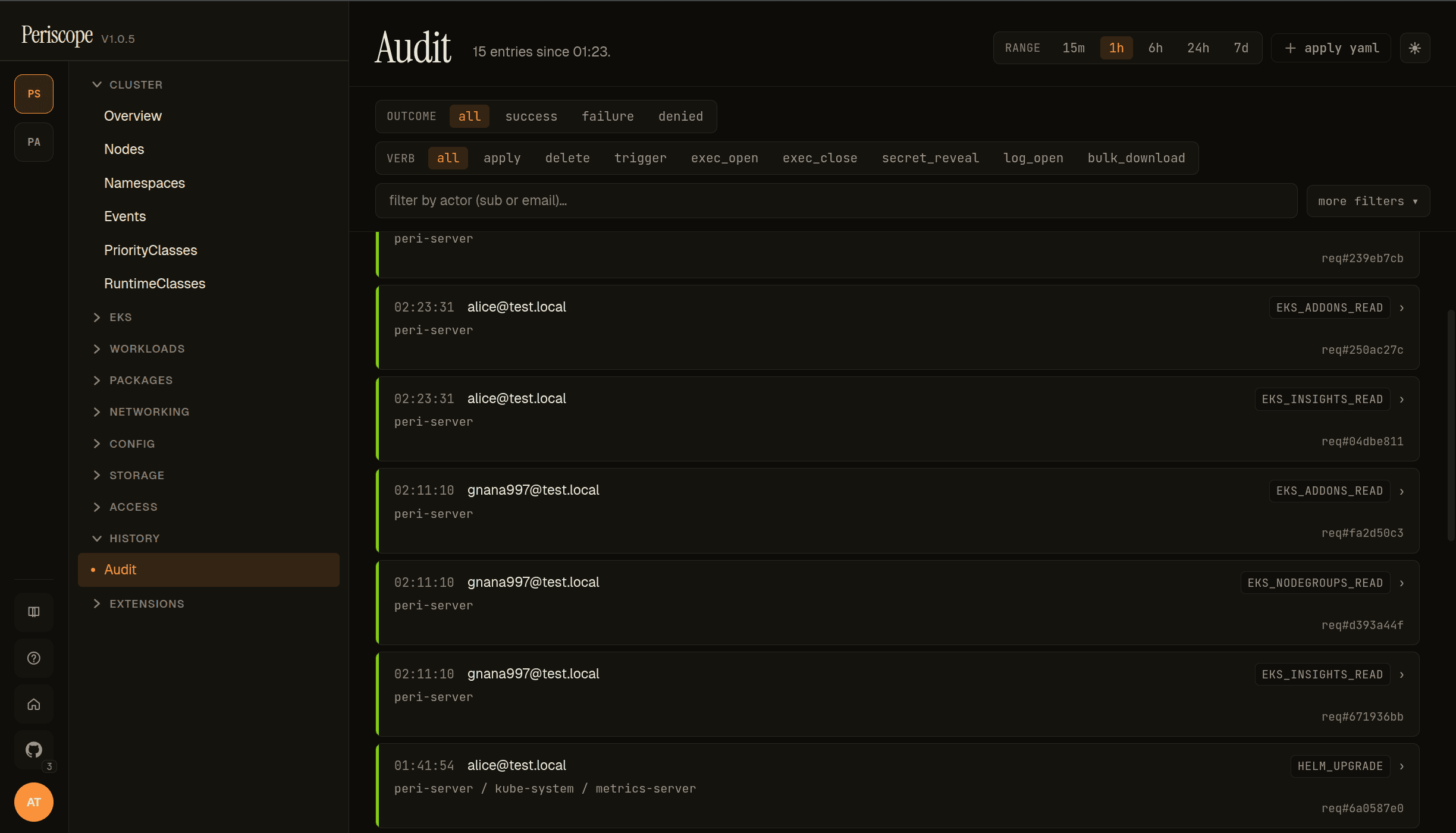
8. Audit attribution — two trails, one truth
Once the bridge SA passes the request through, two audit logs end up recording the same action — and both contain the human's identity, just at different field names:
- Periscope's audit log (
/api/auditin the dashboard, plus the structured-log forwarder if your operator wires one up). Every privileged action is emitted with the impersonated identity. The row carriesactor: alice@corpplus the cluster, verb, resource, and the request's correlation ID. - The apiserver's audit log (whatever your audit policy is configured to capture). The apiserver records two identity fields when it sees impersonation:
user.usernameis the authenticated identity — the bridge SA whose bearer token came in on the wire (e.g.system:serviceaccount:periscope:periscope);impersonatedUser.usernameis the identity the request was impersonated as (e.g.alice@corp), and the one the apiserver actually evaluated RBAC under. Audit consumers that attribute actions to humans should readimpersonatedUser.usernamewhen present and fall back touser.usernameonly when it isn't.
Two audit trails, one truth. This is the property impersonation buys you that the shared-admin SA pattern fundamentally cannot: you can stand up the dashboard's audit log next to the cluster's audit log and they correlate, row-for-row, by actor == impersonatedUser.username.
A note on audit-admin scope: who can read the audit log is a separate question from who can take actions. Periscope's Resolver.IsAuditAdmin decouples them — security engineers can hold full read on the audit trail without holding any cluster-mutating tier. The full resolution order is in internal/authz/mode.go:IsAuditAdmin; the short version is "explicit AuditAdminGroups always wins, mode-specific fallback otherwise."
9. The agent-backed exception
For clusters Periscope reaches via the agent tunnel — on-prem k3s behind a firewall, customer-managed EKS where you can't establish IAM trust, anywhere with a strict no-inbound posture — impersonation still works, but the wire shape inside the tunnel is worth a paragraph.
When the central server forwards a request to the agent over the tunnel, the request carries Impersonate-User / Impersonate-Group headers and no Authorization header. The agent runs a localhost reverse proxy that injects the agent's in-cluster SA bearer token (with a defensive overwrite, in case the server is ever compromised and tries to substitute one), and forwards the request to the local apiserver. The impersonation headers pass through unchanged — they're not in RFC 7230's hop-by-hop list, so Go's httputil.ReverseProxy doesn't strip them.
From the apiserver's perspective, the request looks identical to the direct-backend case: it sees the agent's SA as the authenticated identity, sees the impersonation headers, and re-evaluates as the impersonated user. The bridge identity is different — agent SA instead of server SA — but the chain is the same. See cmd/periscope-agent/proxy.go for the exact Rewrite callback that wires it. A future post will go deeper into the agent tunnel itself; for now, the takeaway is that impersonation is the load-bearing primitive on both backends.
10. Try it, then tell me where it breaks
The fastest way to internalize how this all fits together is to clone examples/impersonation-client/, make apply against a kind cluster, and watch the Impersonate-User header show up in kubectl --v=8 traffic alongside the SSAR pre-flight verdict. The whole loop takes about three minutes.
If you're building something similar — a multi-cluster console, a release bot, a "give the on-call a button" tool — the takeaways that survive across implementations are:
- Carry the human's identity, not a shared SA's.
- Pre-flight every privileged action with SSAR.
- Prefix every impersonated group. Always. Without exception.
- Let the apiserver be the RBAC authority. Don't reinvent it in your app.
The full architecture lives in the periscope repo. Issues welcome; the auth design lives under RFC 0002 in docs/rfcs/.
GitHub · Docs · v1.1 launch post: What can this pod do in AWS?
Periscope is built by @gnana997. Per-user impersonation and the SSAR pre-flight pattern have shipped since v1.0.